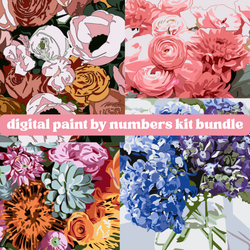
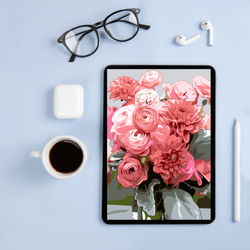
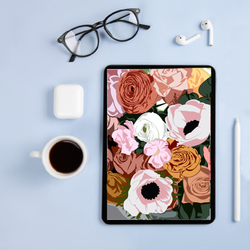
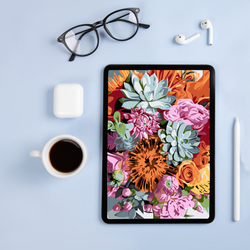


Digital Paint By Number Kit for Procreate | Sincerest Stems
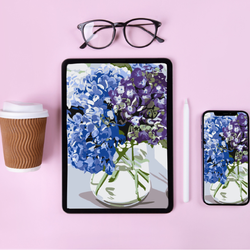
Sincerest Stems brings a quiet, elegant floral design to your iPad through a simple digital paint by number experience made for Procreate. The design translates beautifully to a screen, giving you crisp lines, clear numbering and plenty of room to play with color. Once downloaded, the file opens with a built-in numbered guide layer.
Once you complete your piece, you can print it, frame it, share it or keep it as a digital treasure. Some artists even create multiple versions by duplicating the file and repainting the bouquet in new palettes. It becomes a project you can revisit whenever you want something soothing and reliable.
What’s included:
-
Digital file for Procreate
-
Easy-to-follow numbered guide layer
-
Instructions for getting started
Why you’ll love digital paint by numbers kits:
-
Instant access — download, open in Procreate, and start painting today!
-
Travel-friendly — no supplies to pack, just your iPad and Apple Pencil.
-
No mess, no cleanup — just pure, relaxing creativity anytime, anywhere.
-
Endless replays — restart, re-color, and repaint as many times as you want!
Important: You’ll need an iPad, Apple Pencil, and the Procreate app (available on the App Store) to use this digital kit. This is a digital product only. You’ll receive a download link after purchase. No physical kits will be shipped.
First Time Doing Digital Paint by Numbers? Here's Some Help.
HOW IT WORKS
Once you complete your order, you'll instantly receive an email with a download link. Simply open the file in the Procreate app on your iPad and start painting right away — no shipping, no waiting!
WHAT TOOLS DO I NEED?
You’ll need three things:
- An iPad
- An Apple Pencil
- The Procreate app (available in the App store)
No additional art supplies are required — everything you need is digital!
CAN I PAINT THIS MORE THAN ONCE?
Yes! That’s one of the best parts of digital painting. You can duplicate your file in Procreate and start fresh as many times as you like. Try new color palettes, experiment with techniques, and paint it over and over without limits.
WHAT DO I DO WHEN I'M DONE PAINTING?
- Set it as your iPhone, iPad, or computer wallpaper — carry your artwork with you everywhere.
- Print it out and frame it — turn your digital painting into beautiful wall art for your home or office.
- Gift a printed version to a loved one — homemade gifts are always the most meaningful.
- Create greeting cards or stationery — customize your thank you notes, birthday cards, or invitations.
- Make a canvas print — upload your file to a canvas printing service and get a ready-to-hang masterpiece.
- Post it on social media — share your creativity with friends (and tag @PinkPicassoKits to show it off!).
- Design custom merch — think mugs, tote bags, or T-shirts with your finished art.
- Use it as your Zoom background — brighten up your virtual meetings with something totally personal.
- Create a digital photo album or portfolio — start your own collection of finished digital paintings.
- Repaint it in different color schemes — duplicate your file and experiment endlessly without ever running out of canvases.
DEGREE OF DIFFICULTY
2


